Moving things
Two kinds of things move in a KKE game: the character, which walks,
runs, jumps, vaults and climbs under kke::Locomotion, and physics
bodies, which you move by giving them velocity and letting them roll,
bounce and collide for real.
The character
The starter game's player is PlayerModule (C++). You tune how it moves
with Locomotion's settings, in PlayerModule::init:
auto& move = m_loco->settings();
move.runSpeed = 4.5f;        // m/s (default 3.6)
move.sprintSpeed = 8.0f;     // default 6.2
move.jumpSpeed = 6.5f;       // higher jumps (default 5.2)
move.airAcceleration = 8.0f; // more steering in the air (default 5)
move.coyoteTime = 0.2f;      // jump this long after running off an edge (default 0.12 s)
Every setting and its default is in engine/include/kke/Locomotion.h;
Movement explains the ideas behind them (why turning
slows you down, why a jump pressed just before landing still counts).
Tutorial 1 walks through the player
module line by line.
From Lua, the starter game gives you player.position() (the feet),
player.facing() and player.teleport(pos). Try
player.teleport(Vec(-6, 2.1, -6)) in the Scripts panel console (F1).
Those three are the game's own bindings, not the engine's, and a game
adds them as its modules start, so use them inside hooks and timers (as
every recipe here does), not at the top of a file.
A ball you steer
Moving a body is setting its velocity. This ball speeds up in the direction of the arrow keys, relative to where the camera looks, and hops with Right Ctrl.
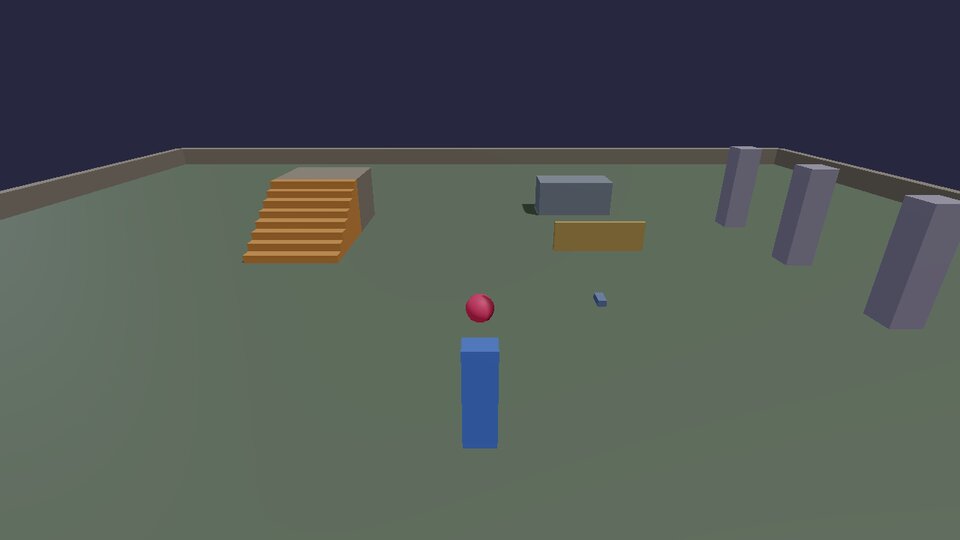
-- roll_ball.lua: a ball you steer with the arrow keys, relative to where
-- the camera looks, and hop with Right Ctrl. Movement is forces on a
-- physics body, so it rolls, bumps and falls for real.
-- (docs/cookbook/moving.md)

input.define("ball.forward", "Ball forward", "Up")
input.define("ball.back", "Ball back", "Down")
input.define("ball.left", "Ball left", "Left")
input.define("ball.right", "Ball right", "Right")
input.define("ball.hop", "Ball hop", "Right Ctrl")

local ball = physics.sphere { pos = Vec(0, 1, 2), radius = 0.35, density = 300, bounce = 0.3, color = Vec(0.9, 0.2, 0.4) }
local PUSH = 6           -- how hard the arrows push (m/s per second)

hook.Add("Think", "ball.move", function(dt)
  -- Flatten the camera's forward so "up" never pushes into the ground.
  local f = camera.forward()
  local forward = Vec(f.x, 0, f.z):normalized()
  local right = forward:cross(Vec(0, 1, 0))

  local wish = Vec(0, 0, 0)
  if input.held("ball.forward") then wish = wish + forward end
  if input.held("ball.back") then wish = wish - forward end
  if input.held("ball.right") then wish = wish + right end
  if input.held("ball.left") then wish = wish - right end

  local v = physics.velocity(ball)
  if wish:length() > 0 then
    v = v + wish:normalized() * (PUSH * dt)
  end
  -- Hop only when nearly still vertically (on the ground, more or less).
  if input.pressed("ball.hop") and math.abs(v.y) < 0.2 then
    v = v + Vec(0, 5, 0)
  end
  physics.setVelocity(ball, v)

  -- Fell off the world? Back to the start.
  if physics.position(ball).y < -10 then
    physics.remove(ball)
    ball = physics.sphere { pos = Vec(0, 1, 2), radius = 0.35, density = 300, bounce = 0.3, color = Vec(0.9, 0.2, 0.4) }
  end
end)
camera.forward()points where the camera looks. Flattening it (y = 0) and normalizing it gives "forward along the ground"; the cross product with up gives "right".- Adding to the velocity (instead of setting it) keeps the ball's momentum: it still rolls on when you let go, and bumps change its path.
Thinkgetsdt, the seconds since the last frame. Multiplying by it makes the push the same at 30 and at 240 frames per second.
A pet that follows you
The classic "seek and arrive": head toward a target, slow down near it, stop at a comfortable distance.
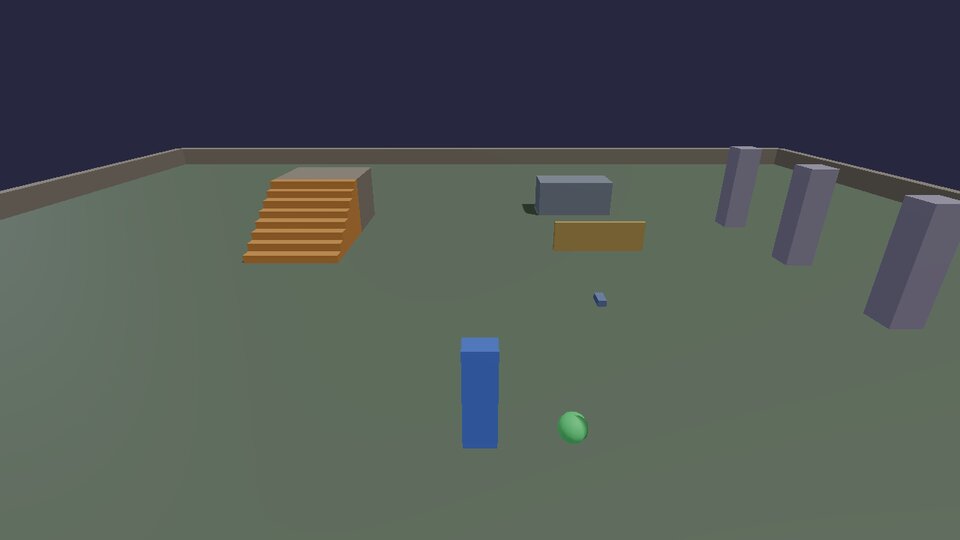
-- pet.lua: a ball that follows you around like a pet. It steers toward
-- a spot just behind you, slows down as it arrives, and hops when you
-- get far ahead. (docs/cookbook/moving.md)

local pet = physics.sphere { pos = Vec(1.5, 0.5, 6), radius = 0.25, density = 200, color = Vec(0.4, 0.9, 0.5) }
local FOLLOW = 1.8   -- metres it keeps from you
local SPEED = 7      -- top speed, m/s

hook.Add("Think", "pet.follow", function(dt)
  local me = player.position()
  local at = physics.position(pet)
  local toMe = Vec(me.x - at.x, 0, me.z - at.z)    -- flat: steer, don't fly
  local distance = toMe:length()

  local v = physics.velocity(pet)
  if distance > FOLLOW then
    -- "Arrive": full speed far away, slowing to a stop as it gets close.
    local speed = math.min(SPEED, (distance - FOLLOW) * 3)
    local want = toMe:normalized() * speed
    -- Turn the current velocity toward the wanted one, a bit each frame.
    local blend = math.min(1, 8 * dt)
    v = Vec(v.x + (want.x - v.x) * blend, v.y, v.z + (want.z - v.z) * blend)
  end
  -- Left far behind (or you jumped up somewhere): hop.
  if distance > 6 and math.abs(v.y) < 0.1 then v = v + Vec(0, 5, 0) end
  physics.setVelocity(pet, v)

  if at.y < -10 then           -- fell off: back beside you
    physics.remove(pet)
    pet = physics.sphere { pos = me + Vec(1, 1, 0), radius = 0.25, density = 200, color = Vec(0.4, 0.9, 0.5) }
  end
end)
Blending the velocity toward the wanted one (blend) instead of setting
it outright is what makes the pet curve smoothly instead of snapping to
each new direction. Raise the 8 for a snappier pet, lower it for a lazier
one.
A patrol
Waypoints in a list, an index for the one it's heading to, and a pause at each: the core of guards, moving platforms and delivery vans.
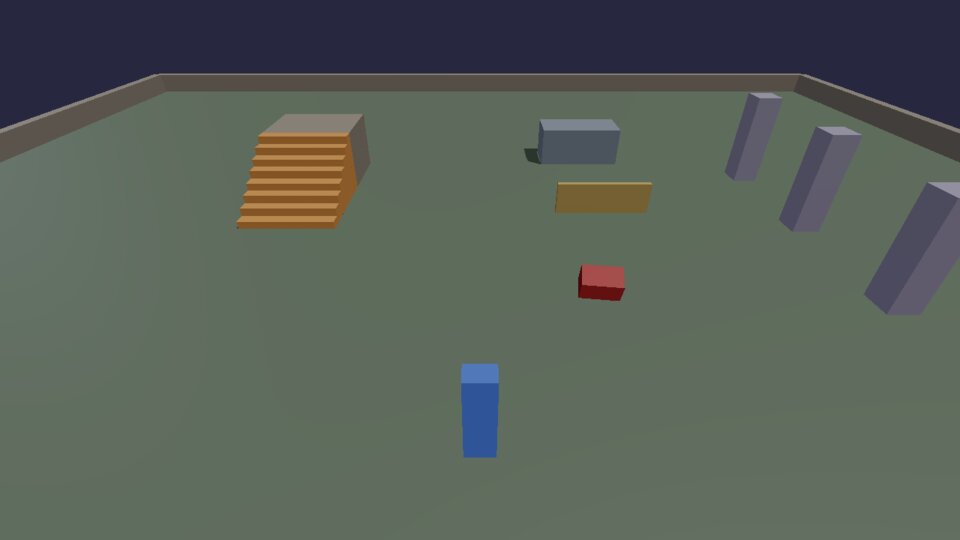
-- patrol.lua: a guard that walks between waypoints, waits at each, and
-- turns back. "Go to the next point" is the heart of most enemy and
-- moving-platform scripts. (docs/cookbook/moving.md)

local WAYPOINTS = { Vec(-3, 0, -1), Vec(3, 0, -1), Vec(3, 0, 3), Vec(-3, 0, 3) }
local SPEED = 2.5   -- m/s
local WAIT = 1.0    -- seconds at each point

local guard = physics.box { pos = WAYPOINTS[1] + Vec(0, 0.5, 0), size = Vec(0.6, 1, 0.6), density = 400,
                            friction = 0, color = Vec(0.8, 0.25, 0.25) }
local target = 2      -- index of the waypoint it's heading for
local waiting = 0

hook.Add("Think", "patrol.walk", function(dt)
  local at = physics.position(guard)
  local goal = WAYPOINTS[target]
  local toGoal = Vec(goal.x - at.x, 0, goal.z - at.z)
  local v = physics.velocity(guard)

  if waiting > 0 then
    waiting = waiting - dt
    physics.setVelocity(guard, Vec(0, v.y, 0))
  elseif toGoal:length() < 0.15 then
    -- Arrived: wait, then head for the next one (wrapping round to 1).
    waiting = WAIT
    target = target % #WAYPOINTS + 1
  else
    local step = toGoal:normalized() * SPEED
    physics.setVelocity(guard, Vec(step.x, v.y, step.z))  -- keep falling if it falls
  end
end)
target % #WAYPOINTS + 1 counts 2, 3, 4, 1, 2, ... For a guard that goes
back the way it came (1, 2, 3, 4, 3, 2, ...), keep a direction of +1 or -1
and flip it at either end.
Launch pad
The Contact hook fires when two bodies start touching, with both ids,
how hard they hit and where. Here, anything landing on the pad is thrown
up again.
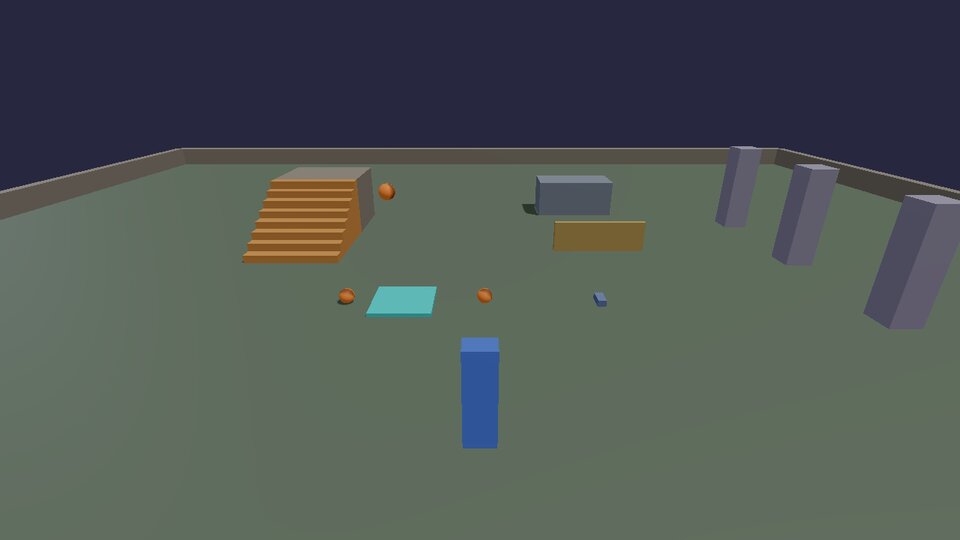
-- launch_pad.lua: anything that lands on the pad is fired into the air.
-- The Contact hook says when two bodies touch. (docs/cookbook/moving.md)

local pad = physics.box { pos = Vec(-2, 0.05, 1), size = Vec(1.6, 0.1, 1.6), color = Vec(0.2, 0.9, 0.9), static = true }
local LAUNCH = 11   -- m/s upward

hook.Add("Contact", "launch_pad.touch", function(c)
  -- c.a and c.b are the two bodies; one of them must be the pad.
  local other = nil
  if c.a == pad then other = c.b elseif c.b == pad then other = c.a end
  if not other then return end
  -- Scripts can only push bodies scripts made: pcall turns "not yours"
  -- (the level, say) into a quiet false instead of an error.
  local v = physics.velocity(other)
  pcall(physics.setVelocity, other, Vec(v.x, LAUNCH, v.z))
end)

-- Something to launch: a ball dropped on the pad every two seconds.
timer.Create("launch_pad.feed", 2, 0, function()
  local ball = physics.sphere { pos = Vec(-2 + math.random() * 0.6 - 0.3, 3, 1), radius = 0.2, color = Vec(1, 0.5, 0.1) }
  timer.Simple(8, function() physics.remove(ball) end)
end)
A script may only push bodies that scripts made. pcall(f, ...) calls
f and catches its error instead of stopping, so the pad quietly ignores
the level's own boxes.
Moving a body to an exact place
Sometimes you want a body at an exact spot every frame (a platform on a path, a part of something animated). Give it the velocity that gets it there in one frame:
local function moveTo(id, target, dt)
  physics.setVelocity(id, (target - physics.position(id)) / math.max(dt, 1 / 240))
end
It still collides and pushes things on the way, which a teleport wouldn't. The animation recipes are built on this.
Next: cameras.