First steps
Three small scripts that cover most of the Lua you'll ever need: values,
decisions, repetition, and doing something later. Save each into your
game's scripts/ folder while the game runs; it runs straight away.
Press F1 for the Scripts panel, where print output and any errors
show up, with the file and line.
Hello, boxes
Variables, if, a loop, a function and a table, each doing something you
can see: a row of boxes in two colours, and a greeting in four languages.
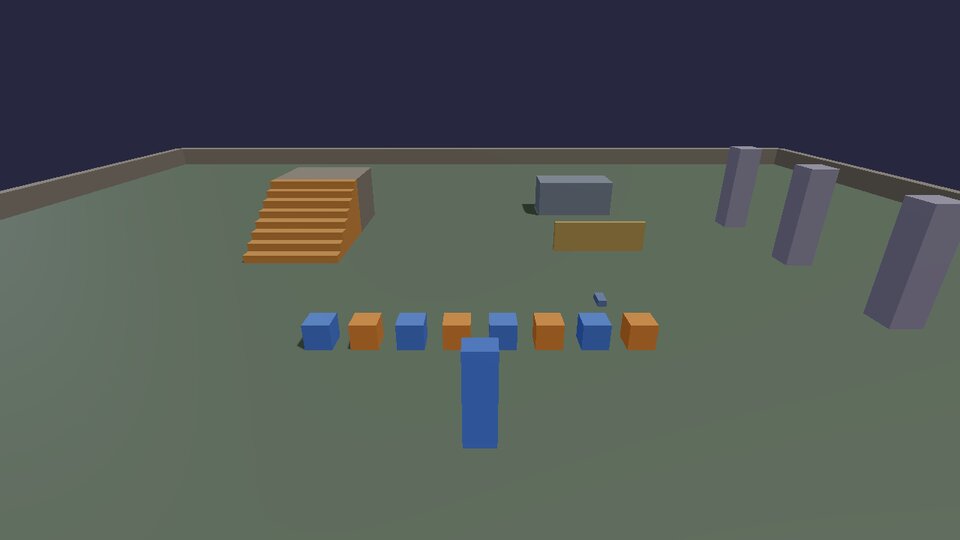
-- hello.lua: your first script. Variables, if, loops, functions and
-- tables, each doing something you can see. (docs/cookbook/first-steps.md)

-- A variable holds a value. `local` keeps it inside this file.
local count = 8
local size = 0.6

-- A function is a named recipe you can use again.
local function colorFor(i)
  -- if / else: even numbers orange, odd numbers blue.
  if i % 2 == 0 then
    return Vec(0.95, 0.55, 0.2)
  else
    return Vec(0.25, 0.5, 0.95)
  end
end

-- A loop runs its body once for each i from 1 to count.
for i = 1, count do
  physics.box {
    pos = Vec(-4.5 + i, 0.3, 3), -- one metre apart, in a row
    size = Vec(size, size, size),
    color = colorFor(i),
  }
end

-- A table is a list (or a dictionary). # gives a list's length.
local greetings = { "Hello", "Hallo", "Bonjour", "Hola" }
for index, word in ipairs(greetings) do
  print(index .. ": " .. word .. ", world!")
end
print("There are " .. #greetings .. " greetings and " .. count .. " boxes.")
localmakes a variable belong to this file. Without it, it still only belongs to this script (each script has its own globals), butlocalis faster and says what you mean.Vec(x, y, z)is a position, a size or a colour.yis up; colours go from 0 to 1 (red, green, blue).physics.box { ... }takes a table of named settings. What you leave out gets a sensible default (a 50 cm box that falls)...joins text;#listis how long a list is;ipairswalks a list in order.
Change count to 20 and save: the old boxes go and the new row appears.
That's hot reload: everything a script made is removed before it runs
again, so nothing doubles up.
Rain
A timer runs a function later, or again and again. This one drops a ball five times a second at a random spot, keeps a list of them, and removes the oldest so there are never more than 60.
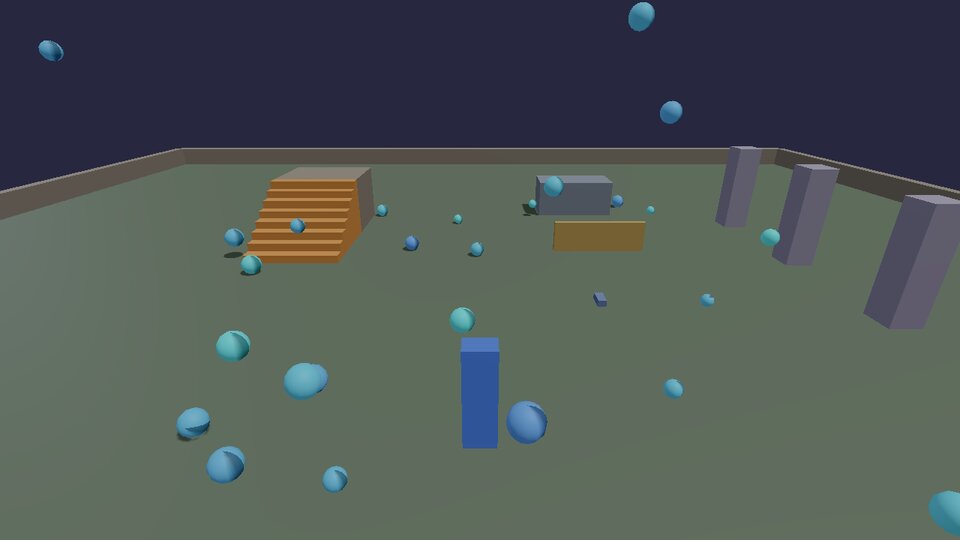
-- rain.lua: a timer drops a ball every fifth of a second, somewhere
-- random, and the oldest ones go so there are never more than 60.
-- (docs/cookbook/first-steps.md)

local MAX = 60
local balls = {}  -- a list, oldest first

timer.Create("rain.drop", 0.2, 0, function()   -- 0 repetitions = forever
  local x = math.random() * 16 - 8                -- -8 .. 8
  local z = math.random() * 16 - 8
  local id = physics.sphere {
    pos = Vec(x, 8, z),
    radius = 0.15 + math.random() * 0.15,
    color = Vec(0.3, 0.6 + math.random() * 0.4, 1.0),
    bounce = 0.5,
  }
  table.insert(balls, id)                         -- newest at the end
  if #balls > MAX then
    physics.remove(table.remove(balls, 1))        -- the oldest from the front
  end
end)

-- Stop after 30 seconds: timer.Simple runs once.
timer.Simple(30, function()
  timer.Remove("rain.drop")
  print("The rain stopped.")
end)
timer.Create(name, seconds, repetitions, fn): 0 repetitions means forever.timer.Simple(seconds, fn)runs once.timer.Remove(name)stops one.math.random()is a number from 0 to 1, somath.random() * 16 - 8is anywhere from -8 to 8.table.insert(list, x)adds to the end;table.remove(list, 1)takes the first one out (and gives it back, here straight tophysics.remove).
A pyramid, and a key to rebuild it
Loops inside loops build in two and three dimensions: layers, rows and columns. G rebuilds the pyramid after you've knocked it over (walk into it, or throw something at it from the input chapter).
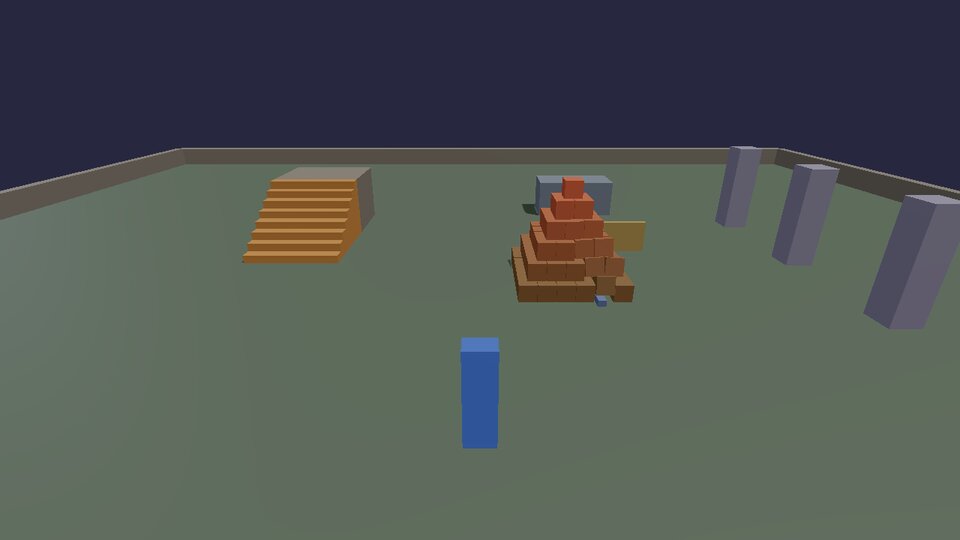
-- pyramid.lua: loops inside loops build a pyramid of crates, and G
-- rebuilds it after you've knocked it down. (docs/cookbook/first-steps.md)

local SIZE = 0.5
local LAYERS = 6
local crates = {}

local function build()
  for _, id in ipairs(crates) do physics.remove(id) end
  crates = {}
  for layer = 0, LAYERS - 1 do
    local across = LAYERS - layer             -- fewer crates on each layer up
    for x = 0, across - 1 do
      for z = 0, across - 1 do
        local offset = (across - 1) * SIZE / 2  -- centre each layer
        table.insert(crates, physics.box {
          pos = Vec(2.5 + x * SIZE - offset, SIZE / 2 + layer * SIZE, -0.5 + z * SIZE - offset),
          size = Vec(SIZE, SIZE, SIZE) * 0.98,  -- a hair apart, so they settle
          density = 120,
          color = Vec(0.55 + layer * 0.07, 0.4, 0.25),
        })
      end
    end
  end
  print("Built " .. #crates .. " crates.")
end

build()
input.define("pyramid.rebuild", "Rebuild the pyramid", "G")
hook.Add("Think", "pyramid.keys", function()
  if input.pressed("pyramid.rebuild") then build() end
end)
hook.Add("Think", id, fn)runsfnevery frame. The id names it, so hot reload can replace it instead of adding a second one.input.definemakes a new action with a default key; players can rebind it. More in Input.- The crates are made 2% smaller than their spacing so they don't start pressed into each other (which would make them jump apart).
Events you can hook
Think is one of several events. The full list, with what each one
passes, is in Scripting in Lua:
| Event | When |
|---|---|
Init |
once, after every script has loaded and the game has started |
Think |
every frame, with the frame time dt in seconds |
Tick |
60 times a second exactly (physics-rate logic) |
Contact |
two bodies started touching (used in Moving things) |
Break |
something breakable broke (Physics) |
NetMessage |
a message from another player (Multiplayer) |
Shutdown |
the game is closing |
Your own events work the same way: hook.Run("GameOver", score) calls
every hook.Add("GameOver", ...) in any script.
Next: make your own controls.